Episode 004: Custom DSLR Rig for Shooting Interviews

July 12, 2010 · 23 comments

In this episode, I share a rig setup I use for documentary and interview shoots. For show notes visit www.DSLRVideoShooter.com.

THE PARTS

Below are links to where you can find the gear and accessories mentioned in the podcast.
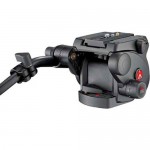
Manfrotto 503HDV Video Fluid Head
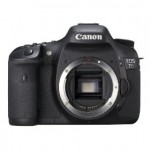
Canon 7D

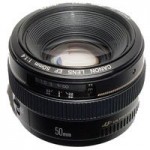
Canon 50mm f/1.4

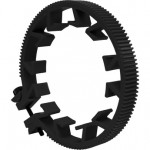
RedRock Micro Lens Gear

Rubber Lens Hood (Sizes Vary)

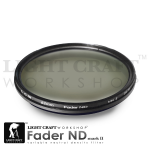
LightCraft Fader ND
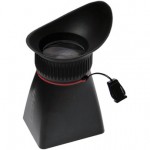
LCDVF LCD Viewfinder
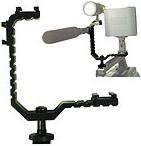
Tri-Mount Accessory Mount
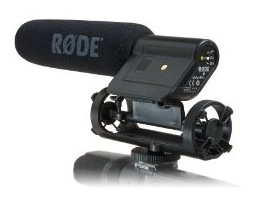
Rode VideoMic

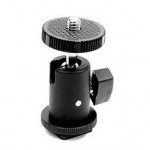
Ball Mount Hot Shoe Adapter

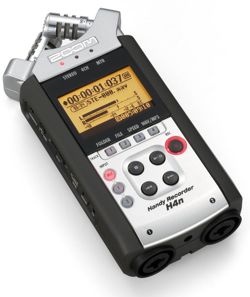
H4n Zoom Recorder

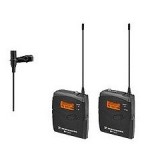
Sennheiser Wireless Mic Set

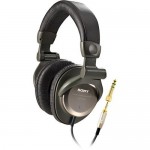
Sony MDR-V900 Monitor Series Headphones

————————————————————————————————————————

QuickTime File: DSLR Video Shooter Episode #004.

{ 23 comments… read them below or add one }

1 Steve Crow July 12, 2010 at 3:00 pm

I was interested in more detail on the Zoom H4N and how you use it to:

* feed audio to the camera
* Monitor with headphones

Basically – are those two separate outputs on the Zoom H4N – in other words can you output the audio and monitor at the same time?

2 Caleb Pike July 12, 2010 at 3:11 pm

Hey Steve,

I use the H4n to record audio from the wireless lapel. And the rode shotgun mic is run into the camera. Then in post I sync up the two.

The reason I record separate audio is because the 7D (And T2i for that matter) does not allow the user to control audio levels.

While the H4n is recording I monitor it with the headphones.

Does this answer your question?

3 Dave Dugdale July 12, 2010 at 3:22 pm

Nice video Caleb. Hey did you see the AGC bypass hack I created on my T2i?

4 Steve Crow July 12, 2010 at 3:24 pm

Yeah that answers it. For some reason I thought you said that you were feeding the H4N’s audio to the camera! Now that makes much more sense. I do exactly the same thing.

It might be interesting to try using some kind of audio splitter off the H4N so that in theory you could both monitor the sound coming off the lavalier with your headphones AND at the same time feed the audio to the 7D. In that situation you wouldn’t need the Rode unless you needed to record something that wasn’t mic’d up with the lavalier.

I recently posted my audio workflow on Vimeo but it’s the same as yours.
http://vimeo.com/13239554

5 Bernard July 12, 2010 at 6:05 pm

Hey Caleb,

a great podcast you do!
I’m all new to video filming with the DSLR, still use my gear mostly for sports fotography.
But I always wanted to give it a try and wanted to start a project for quite some time now, only that I needed some technical advice and one or two ideas how to upgrade my equipment.
That’s why I looked up podcasts on DSLR video shooting in the first place and found yours. Now with this “shopping list” at hand I guess it’s up to me to finally get started. No more excuses .. :-) )

And maybe you can answer me this one question: How do you sync the audio to the video file? Do you use any kind of production slate (there is an app for the iPhone I think) or is there any other trick to it? I guess it’s all a question of post production?

Cheers from Germany!
Bernard

6 Caleb Pike July 12, 2010 at 6:29 pm

Thanks for the comment Bernard, I really appreciate it. First off yes I use a production slate. Both a real one and one for the iPhone Here is the app I use (Episode on that coming up).

As for syncing. You can do it manually by using the slate. I sometimes just use the first persons word than listen to make sure its synced. You can also use a software call Pluraleyes which automatically syncs audio and video together without any slating. Philip Bloom has a great tutorial here on how to do that.

I hope that answers your questions. Let me know if I can help you with anything else!

Caleb

7 Caleb Pike July 12, 2010 at 6:33 pm

Thanks Dave! Yeah I did. I saw one guy talking about that once didn’t think much about it till your video. The only thing I don’t like about it is having to have an Mp3 player with you all the time. I also am madly in love with the quality of the H4n and its capabilities. I should give it a shot for myself. Thanks for the link!

8 Dave Dugdale July 12, 2010 at 7:43 pm

I am trying to wait as long as I can before I buy one, I know I will get one sooner or later.

9 Steve Crow July 17, 2010 at 7:24 pm

Hi Caleb,

You’ve ALMOST got me convinced to try out the Tri-Mount. I do have a couple of other questions:

1) I really want to be able to mount TWO Senheisser Wireless Receivers, plus the Zoom H4N, PLUS the Rode VideoMic…oops now I am up to 4 things and this unit only has three hotshoe mounts…is there a workaround you can think of?

2) If mounting 4 devices just won’t work are there other units you’ve seen that might be better for me? I saw one very simple device on Amazon which was just a mounting bar or bracket attached to a hotshoe adapter:

http://www.studio1productions.com/parts/shoebar.htm

but I think it might be too small to handle my 4 devices

10 Caleb Pike July 17, 2010 at 9:33 pm

Yeah I would add one of those to give you more room. But that one looks kinda plastic-y. I would try this one: http://www.amazon.com/gp/product/B0017KGNA8?ie=UTF8&tag=tecbri-20&linkCode=as2&camp=1789&creative=390957&creativeASIN=B0017KGNA8

11 Steve Crow July 17, 2010 at 10:15 pm

Are you thinking that I’d attach the Tri Mount to this Rycote bar? That would be an interesting idea but it sounds like it would make the whole rig even more unsteady…I’m really not sure which way to go. There’s a company called Bracket 1

http://www.bracket1.com/bracket-1SLR-mounting.php

that was very popular back in the “olden days” of camcorders. I’ve got an email into them to see what they think can be accomplished.

12 Caleb Pike July 17, 2010 at 10:22 pm

No no no. Attach it onto one of the 3 hot shoe mounts and put both receivers on it.

13 dom July 18, 2010 at 5:32 pm

Hey!

what about the filter LightCraft Fader ND, this is necessary ?

thanks!

14 Caleb Pike July 19, 2010 at 8:51 am

If you want shallow depth of field outdoors, than yes it is essential.

15 dom July 19, 2010 at 8:58 am

thanks!

16 Mikkel July 23, 2010 at 9:09 am

Hi

Why don’t you record the Rode mic into the H4n instead?

Do you ever use the onboard mics of the H4n for ambience?

Mikkel

17 Caleb Pike July 26, 2010 at 3:06 pm

@Mikkel

Well for whatever reason my rode vid mic doesn’t give me the best audio. And most of the time the rode mic can be to far away for the best possible sound. So a lapel or wired XLR mic is the better solution in my opinion. But if one must be run-and-gun Rode into H4n is a good setup.

18 Mikkel July 27, 2010 at 3:22 am

I just figured since you complained about the mic input settings on the camera, you could benefit from bypassing it completely … also you wouldn’t have to unplug when removing the tri-mount ;-)

I never tried the VideoMic myself, but some of the other Rode products are pretty decent.

Keep up the good work the these learning videos!!!

19 Marc August 6, 2010 at 12:30 am

Awesome podcast. Went to buy Tri-Mount, but it seems that it is out of stock everywhere and doesn’t look like they are coming back in stock. Any ideas where I could find it or a similar product? I want to mount three accessories.

Thanks for all the help and the awesome podcasts.

20 Caleb Pike August 6, 2010 at 12:41 am

Looks like this place has them: http://www.sjmediasystem.com/59111.html

21 Marc August 8, 2010 at 8:59 am

Thanks for the reply. Too bad they don’t ship to Australia. Love the site, keep up the good work.

22 dtmp August 19, 2010 at 9:07 pm

Wow, I’ve been looking for an inexpensive way to mount stuff on the top hot shoe, bummer they’re no longer available.

23 Caleb Pike August 20, 2010 at 12:01 pm

Leave a Comment

Previous post:

Next post: